webcam (usb) access under Ubuntu

Collapse
This topic is closed.
X
X
 
  • Time
  • Show
Clear All
new posts
  • Berco Beute

    webcam (usb) access under Ubuntu

    I've been trying to access my webcam using Python, but I failed
    miserably. The camera works fine under Ubuntu (using camora and
    skype), but I am unable to get WebCamSpy or libfg to access my webcam.

    First I tried webcamspy (http://webcamspy.sourceforge.net/). That
    requires pySerial and pyParallel, and optionally pyI2C. Runing
    WebCamSpy results in:

    Exception exceptions.Attr ibuteError: "Parallel instance has no
    attribute '_fd'" in <bound method Parallel.__del_ _ of
    <parallel.paral lelppdev.Parall el instance at 0x83326ac>ignor ed

    This seems to come from importing I2C. The application window opens,
    but there's an error message:

    NO VIDEO SOURCE FOUND

    Next I tried libfg (http://antonym.org/libfg). I built it, made the
    Python bindings and installed it. Unfortunately the following:
    >>>import fg
    >>>grabber = fg.Grabber()
    results in:

    fg_open(): open video device failed: No such file or directory

    Since the camera works fine in Ubuntu itself my guess is that the
    problem is with the python libraries (or even likelier, my usage of
    them). Is there anybody here that was successful in accessing their
    webcam on linux using Python? Else I have to reside to Windows and
    VideoCapture (which relies on the win32 api and thus is Windows-only),
    something I'd rather not do.

    Thanks for any help,
    2B

    ===============
    I am uUsing:
    WebCam: Logitech QuickCam Pro 400
    Ubuntu
    Python 2.5
  • Diez B. Roggisch

    #2
    Re: webcam (usb) access under Ubuntu

    Berco Beute wrote:
    I've been trying to access my webcam using Python, but I failed
    miserably. The camera works fine under Ubuntu (using camora and
    skype), but I am unable to get WebCamSpy or libfg to access my webcam.
    >
    First I tried webcamspy (http://webcamspy.sourceforge.net/). That
    requires pySerial and pyParallel, and optionally pyI2C. Runing
    WebCamSpy results in:
    >
    Exception exceptions.Attr ibuteError: "Parallel instance has no
    attribute '_fd'" in <bound method Parallel.__del_ _ of
    <parallel.paral lelppdev.Parall el instance at 0x83326ac>ignor ed
    >
    This seems to come from importing I2C. The application window opens,
    but there's an error message:
    >
    NO VIDEO SOURCE FOUND
    >
    Next I tried libfg (http://antonym.org/libfg). I built it, made the
    Python bindings and installed it. Unfortunately the following:
    >
    >>>>import fg
    >>>>grabber = fg.Grabber()
    >
    results in:
    >
    fg_open(): open video device failed: No such file or directory
    >
    Since the camera works fine in Ubuntu itself my guess is that the
    problem is with the python libraries (or even likelier, my usage of
    them). Is there anybody here that was successful in accessing their
    webcam on linux using Python? Else I have to reside to Windows and
    VideoCapture (which relies on the win32 api and thus is Windows-only),
    something I'd rather not do.
    It has been *ages* since I did this - so take it with a grain of salt.
    However, back then I was able to access a video camera using gqcam. Looking
    into the source of that revealed that all it did were some simple
    ioctl-calls and reading from a /dev/video*-device.

    That did the trick for me...

    Additionally, you might consider using gstreamer + the python bindings for
    that. I was also successful using them - if I remember this conversation
    tonight or so, I'll send you the sources.

    Diez

    Diez

    Comment

    • Berco Beute

      #3
      Re: webcam (usb) access under Ubuntu

      Thanks, that would be great.

      While I'm at it I wondering how to display a video preview. Here's
      someone using VideoCapture (the win32 lib) and PyGame, but I'd rather
      use a GUI framework and preview/capture videos directly.

      2B

      It has been *ages* since I did this - so take it with a grain of salt.
      However, back then I was able to access a video camera using gqcam. Looking
      into the source of that revealed that all it did were some simple
      ioctl-calls and reading from a /dev/video*-device.
      >
      That did the trick for me...
      >
      Additionally, you might consider using gstreamer + the python bindings for
      that. I was also successful using them - if I remember this conversation
      tonight or so, I'll send you the sources.
      >
      Diez
      >
      Diez

      Comment

      • Diez B. Roggisch

        #4
        Re: webcam (usb) access under Ubuntu

        Berco Beute wrote:
        Thanks, that would be great.
        >
        While I'm at it I wondering how to display a video preview. Here's
        someone using VideoCapture (the win32 lib) and PyGame, but I'd rather
        use a GUI framework and preview/capture videos directly.
        gstreamer has a preview window.

        Diez

        Comment

        • Laurent Pointal

          #5
          Re: webcam (usb) access under Ubuntu

          Le Tue, 15 Apr 2008 05:21:54 -0700, Berco Beute a écrit :
          I've been trying to access my webcam using Python, but I failed
          miserably. The camera works fine under Ubuntu (using camora and skype),
          but I am unable to get WebCamSpy or libfg to access my webcam.
          >
          First I tried webcamspy (http://webcamspy.sourceforge.net/). That
          requires pySerial and pyParallel, and optionally pyI2C. Runing WebCamSpy
          results in:
          >
          Exception exceptions.Attr ibuteError: "Parallel instance has no attribute
          '_fd'" in <bound method Parallel.__del_ _ of
          <parallel.paral lelppdev.Parall el instance at 0x83326ac>ignor ed
          >
          This seems to come from importing I2C. The application window opens, but
          there's an error message:
          >
          NO VIDEO SOURCE FOUND
          >
          Next I tried libfg (http://antonym.org/libfg). I built it, made the
          Python bindings and installed it. Unfortunately the following:
          >
          >>>>import fg
          >>>>grabber = fg.Grabber()
          >
          results in:
          >
          fg_open(): open video device failed: No such file or directory
          >
          Since the camera works fine in Ubuntu itself my guess is that the
          problem is with the python libraries (or even likelier, my usage of
          them). Is there anybody here that was successful in accessing their
          webcam on linux using Python? Else I have to reside to Windows and
          VideoCapture (which relies on the win32 api and thus is Windows-only),
          something I'd rather not do.
          >
          Thanks for any help,
          I dont know if this resolve your problem, but to get snapshots from a
          camera under linux, using V4L2 API, I wrote a small wrapper around this
          API.
          Its called pyvideograb, and its here:


          Note: there is no automatic thing in this library, just a wrapper to
          V4L2, so you must know what options and image format your camera support
          and use these (you may have to convert image by yourself - see PIL and
          Numpy for quick data processing functions). To find the supported options
          you can use xawtv and give it ad-hoc cli option to make it verbose.

          A+

          Laurent.

          --
          Laurent POINTAL - laurent.pointal @laposte.net

          Comment

          • Diez B. Roggisch

            #6
            Re: webcam (usb) access under Ubuntu

            Berco Beute schrieb:
            Thanks, that would be great.
            Here you go.


            Diez

            Comment

            • Berco Beute

              #7
              Re: webcam (usb) access under Ubuntu

              On Apr 15, 11:18 pm, "Diez B. Roggisch" <de...@nospam.w eb.dewrote:
              Berco Beute schrieb:
              >
              Thanks, that would be great.
              >
              Here you go.
              >

              >
              Diez
              Wonderful! Thank you very much!
              I'm running out of time, but after installing the necessary goodies
              using the nice package from here:


              In the meantime I've switched to windows. I'm running into the problem
              that 'import gst' throws:

              =============== ============
              >>import gst
              Traceback (most recent call last):
              File "<stdin>", line 1, in <module>
              File "H:\Python25\li b\site-packages\gst-0.10\gst\__init __.py", line
              87, in <mo
              dule>
              from _gst import *
              ImportError: DLL load failed: The specified module could not be found.

              =============== ============

              I've tried reinstalling gstreamer (for windows):


              but that didn't help. I get some complaints about 'libgstinterfac es'
              as well... I'm too unfamiliar with these libraries to have a clue
              what's wrong here...

              I'll look into it some more tomorrow.

              2B

              Comment

              • Berco Beute

                #8
                Re: webcam (usb) access under Ubuntu

                On Apr 15, 11:45 pm, Berco Beute <cybe...@gmail. comwrote:
                I've tried reinstalling gstreamer (for windows):
                >
                http://gstreamer.freedesktop.org/pkg...streamer/gstre...
                >
                but that didn't help. I get some complaints about 'libgstinterfac es'
                as well...
                To be more precise, when doing an 'import gst' Python shell pops up an
                error dialog saying:

                "This application has failed to start because
                libgstinterface s-0.10.dll was not found."

                2B

                Comment

                • Diez B. Roggisch

                  #9
                  Re: webcam (usb) access under Ubuntu

                  Berco Beute wrote:
                  On Apr 15, 11:45 pm, Berco Beute <cybe...@gmail. comwrote:
                  >I've tried reinstalling gstreamer (for windows):
                  >>
                  >>
                  http://gstreamer.freedesktop.org/pkg...streamer/gstre...
                  >>
                  >but that didn't help. I get some complaints about 'libgstinterfac es'
                  >as well...
                  >
                  To be more precise, when doing an 'import gst' Python shell pops up an
                  error dialog saying:
                  >
                  "This application has failed to start because
                  libgstinterface s-0.10.dll was not found."
                  I'm sorry, but I really can't comment on gst-installion issues - that all
                  worked for me because of ubuntu.

                  Maybe if you are now using windows, there are better options - but I'm a
                  *nix-boy :)

                  Diez

                  Comment

                  • Berco Beute

                    #10
                    Re: webcam (usb) access under Ubuntu

                    On Apr 16, 12:19 pm, "Diez B. Roggisch" <de...@nospam.w eb.dewrote:
                    Maybe if you are now using windows, there are better options - but I'm a
                    *nix-boy :)
                    >
                    Diez
                    So am I :), but the application I'm writing has to run on *that other
                    operating system from the 90's*.
                    I'm trying hard not to implement the application in C#/.Net, but I'm
                    running out of open source alternatives. VideoCapture *almost* worked
                    and now I'm stranded at the gstreamer road as well...

                    2B

                    Comment

                    • Diez B. Roggisch

                      #11
                      Re: webcam (usb) access under Ubuntu

                      Berco Beute wrote:
                      On Apr 16, 12:19 pm, "Diez B. Roggisch" <de...@nospam.w eb.dewrote:
                      >Maybe if you are now using windows, there are better options - but I'm a
                      >*nix-boy :)
                      >>
                      >Diez
                      >
                      So am I :), but the application I'm writing has to run on *that other
                      operating system from the 90's*.
                      I'm trying hard not to implement the application in C#/.Net, but I'm
                      running out of open source alternatives. VideoCapture *almost* worked
                      and now I'm stranded at the gstreamer road as well...
                      How's that saying? "If your in Rom, do as the Romans do". Don't fight
                      Windows. And take IronPython to mitigate the pain of using it :)

                      Diez

                      Comment

                      • yoz

                        #12
                        Re: webcam (usb) access under Ubuntu

                        Berco Beute wrote:
                        I've been trying to access my webcam using Python, but I failed
                        miserably. The camera works fine under Ubuntu (using camora and
                        skype), but I am unable to get WebCamSpy or libfg to access my webcam.
                        >
                        First I tried webcamspy (http://webcamspy.sourceforge.net/). That
                        requires pySerial and pyParallel, and optionally pyI2C. Runing
                        WebCamSpy results in:
                        >
                        Exception exceptions.Attr ibuteError: "Parallel instance has no
                        attribute '_fd'" in <bound method Parallel.__del_ _ of
                        <parallel.paral lelppdev.Parall el instance at 0x83326ac>ignor ed
                        >
                        This seems to come from importing I2C. The application window opens,
                        but there's an error message:
                        >
                        NO VIDEO SOURCE FOUND
                        >
                        Next I tried libfg (http://antonym.org/libfg). I built it, made the
                        Python bindings and installed it. Unfortunately the following:
                        >
                        >>>import fg
                        >>>grabber = fg.Grabber()
                        >
                        results in:
                        >
                        fg_open(): open video device failed: No such file or directory
                        >
                        Since the camera works fine in Ubuntu itself my guess is that the
                        problem is with the python libraries (or even likelier, my usage of
                        them). Is there anybody here that was successful in accessing their
                        webcam on linux using Python? Else I have to reside to Windows and
                        VideoCapture (which relies on the win32 api and thus is Windows-only),
                        something I'd rather not do.
                        >
                        Thanks for any help,
                        2B
                        >
                        ===============
                        I am uUsing:
                        WebCam: Logitech QuickCam Pro 400
                        Ubuntu
                        Python 2.5
                        Some time ago I was playing with writing a webcam server under Linux
                        using V4L - I found this bit of code which may help (it works for me).
                        Obviously it needs X running to work and the associated libs installed.
                        Note this is not my code but it was a good starting point for me to work
                        from. I can't find a link to the original article but credit to the author.

                        import pygame
                        import Image
                        from pygame.locals import *
                        import sys

                        import opencv
                        #this is important for capturing/displaying images
                        from opencv import highgui

                        camera = highgui.cvCreat eCameraCapture( 0)
                        def get_image():
                        im = highgui.cvQuery Frame(camera)
                        #convert Ipl image to PIL image
                        return opencv.adaptors .Ipl2PIL(im)

                        fps = 30.0
                        pygame.init()
                        window = pygame.display. set_mode((320,2 40))
                        pygame.display. set_caption("We bCam Demo")
                        screen = pygame.display. get_surface()

                        while True:
                        events = pygame.event.ge t()
                        for event in events:
                        if event.type == QUIT or event.type == KEYDOWN:
                        sys.exit(0)
                        im = get_image()
                        pg_img = pygame.image.fr ombuffer(im.tos tring(), im.size, im.mode)
                        screen.blit(pg_ img, (0,0))
                        pygame.display. flip()
                        pygame.time.del ay(int(1000 * 1.0/fps))


                        Best of Luck
                        Bgeddy

                        Comment

                        • Berco Beute

                          #13
                          Re: webcam (usb) access under Ubuntu

                          On Apr 16, 2:26 pm, yoz <y...@home.havi n.uswrote:
                          Berco Beute wrote:
                          I've been trying to access my webcam using Python, but I failed
                          miserably. The camera works fine under Ubuntu (using camora and
                          skype), but I am unable to get WebCamSpy or libfg to access my webcam.
                          >
                          First I tried webcamspy (http://webcamspy.sourceforge.net/). That
                          requires pySerial and pyParallel, and optionally pyI2C. Runing
                          WebCamSpy results in:
                          >
                          Exception exceptions.Attr ibuteError: "Parallel instance has no
                          attribute '_fd'" in <bound method Parallel.__del_ _ of
                          <parallel.paral lelppdev.Parall el instance at 0x83326ac>ignor ed
                          >
                          This seems to come from importing I2C. The application window opens,
                          but there's an error message:
                          >
                          NO VIDEO SOURCE FOUND
                          >
                          Next I tried libfg (http://antonym.org/libfg). I built it, made the
                          Python bindings and installed it. Unfortunately the following:
                          >
                          >>import fg
                          >>grabber = fg.Grabber()
                          >
                          results in:
                          >
                          fg_open(): open video device failed: No such file or directory
                          >
                          Since the camera works fine in Ubuntu itself my guess is that the
                          problem is with the python libraries (or even likelier, my usage of
                          them). Is there anybody here that was successful in accessing their
                          webcam on linux using Python? Else I have to reside to Windows and
                          VideoCapture (which relies on the win32 api and thus is Windows-only),
                          something I'd rather not do.
                          >
                          Thanks for any help,
                          2B
                          >
                          ===============
                          I am uUsing:
                          WebCam: Logitech QuickCam Pro 400
                          Ubuntu
                          Python 2.5
                          >
                          Some time ago I was playing with writing a webcam server under Linux
                          using V4L - I found this bit of code which may help (it works for me).
                          Obviously it needs X running to work and the associated libs installed.
                          Note this is not my code but it was a good starting point for me to work
                          from. I can't find a link to the original article but credit to the author.
                          >
                          import pygame
                          import Image
                          from pygame.locals import *
                          import sys
                          >
                          import opencv
                          #this is important for capturing/displaying images
                          from opencv import highgui
                          >
                          camera = highgui.cvCreat eCameraCapture( 0)
                          def get_image():
                          im = highgui.cvQuery Frame(camera)
                          #convert Ipl image to PIL image
                          return opencv.adaptors .Ipl2PIL(im)
                          >
                          fps = 30.0
                          pygame.init()
                          window = pygame.display. set_mode((320,2 40))
                          pygame.display. set_caption("We bCam Demo")
                          screen = pygame.display. get_surface()
                          >
                          while True:
                          events = pygame.event.ge t()
                          for event in events:
                          if event.type == QUIT or event.type == KEYDOWN:
                          sys.exit(0)
                          im = get_image()
                          pg_img = pygame.image.fr ombuffer(im.tos tring(), im.size, im.mode)
                          screen.blit(pg_ img, (0,0))
                          pygame.display. flip()
                          pygame.time.del ay(int(1000 * 1.0/fps))
                          >
                          Best of Luck
                          Bgeddy
                          Thank you! That seems to work under both Linux and windows. The opencv
                          library is the clue here. I've used the ctypes wrapper for opencv
                          provided by the first link below, but there are more options.

                          For future reference here are some relevant links:


                          Download OpenCV for free. Open Source Computer Vision Library. The Open Source Computer Vision Library has >2500 algorithms, extensive documentation and sample code for real-time computer vision. It works on Windows, Linux, Mac OS X, Android, iOS in your browser through JavaScript.


                          Windows specific:
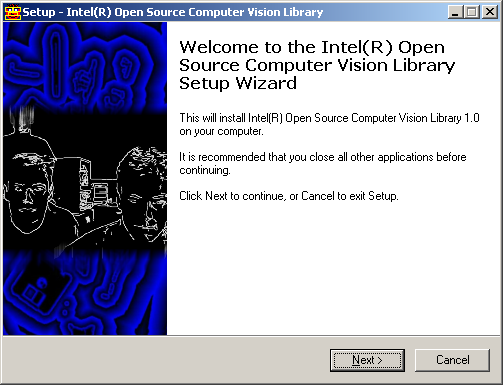
                          Using OpenCV 1.0 With Python 2.5 in Windows XP: I had a hard time getting openCV(open Computer Vision, by Intel) working with python 2.5, here are instructions and files on how to get this working easily!We will assume you have python 2.5 installed (from the link above) I will walk through the no…


                          Thanks for all the help.

                          2B

                          Comment

                          • ticapix

                            #14
                            Re: webcam (usb) access under Ubuntu

                            On 16 avr, 09:41, Berco Beute <cybe...@gmail. comwrote:
                            On Apr 15, 11:45 pm, Berco Beute <cybe...@gmail. comwrote:
                            >
                            I've tried reinstalling gstreamer (for windows):
                            >>
                            but that didn't help. I get some complaints about 'libgstinterfac es'
                            as well...
                            >
                            To be more precise, when doing an 'import gst' Python shell pops up an
                            error dialog saying:
                            >
                            "This application has failed to start because
                            libgstinterface s-0.10.dll was not found."
                            >
                            2B
                            You need to install gst-plugins-good too

                            --
                            pierre

                            Comment

                            Working...