Write a GUI for a python script?

Collapse
This topic is closed.
X
X
 
  • Time
  • Show
Clear All
new posts
  • Glurt Wuntal

    #1

    Write a GUI for a python script?

    I am a newbie with Python. It's a great language, but I would like to be
    able to present a simple gui menu for some of my scripts; something better
    than using 'raw_input' prompts.

    Any recommendations for a program that will allow me to create the gui
    screens? Something useable in Linux.

    thanks.

  • Michele Simionato

    #2
    Re: Write a GUI for a python script?

    Tkinter is the GUI toolkit that comes with Python and is available on
    all platform without any
    installation effort. It is quite OK for simple things and I would
    recommend it for any beginner.
    Google for "An Introduction to Tkinter" by F. Lund.

    Michele Simionato

    Comment

    • ianaré

      #3
      Re: Write a GUI for a python script?

      wxPython is another good option, especially since there is
      boa-constructor, which is a great GUI builder, almost makes it too easy
      to make a nice looking app in no time at all.


      if you decide to give wxPython a go, make sure to download the demo, it
      has tons of usefull code samples.

      Comment

      • robert

        #4
        wxPython memory footprint? - Re: Write a GUI for a python script?

        ianaré wrote:
        [color=blue]
        > wxPython is another good option, especially since there is
        > boa-constructor, which is a great GUI builder, almost makes it too easy
        > to make a nice looking app in no time at all.
        >
        > http://www.wxpython.org/download.php
        >
        > http://boa-constructor.sourceforge.net/
        >
        > if you decide to give wxPython a go, make sure to download the demo, it
        > has tons of usefull code samples.[/color]

        What is the minimal memory footprint of a Hello World wxPython app
        meanwhile (when you cx_freeze/py2exe it) ?

        Can you debug & call functions interactively from e.g. Pythonwin while a
        wxPython app is running.

        ( When I made a test with wxPython some years ago, it had no option to
        step/share its Messageloop. Interaction was "crust"y and I didn't manage
        to get smooth debugging (on Windows). )

        Robert

        Comment

        • John M. Gabriele

          #5
          Re: Write a GUI for a python script?

          Glurt Wuntal wrote:[color=blue]
          > I am a newbie with Python. It's a great language, but I would like to be
          > able to present a simple gui menu for some of my scripts; something better
          > than using 'raw_input' prompts.
          >
          > Any recommendations for a program that will allow me to create the gui
          > screens? Something useable in Linux.
          >
          > thanks.
          >[/color]

          There are Python bindings to most GUI toolkits (GTK+, Qt, fltk, wxWindows,
          and Tk come to mind). You could use any of them. They're all usable in
          GNU/Linux.

          -- Tk is a mature, small, and simple toolkit. The Python binding
          to Tk is called Tkinter.

          -- GTK+ is what most Gnome apps use. The Python binding is PyGTK.


          -- Qt is what most KDE apps use. The Python binding is called PyQt.

          -- wxWindows is a lot like MS Windows MFC if I recall correctly.
          The Python binding to wxWindows is called wxPython.
          All about wxPython, the cross-platform GUI toolkit for the Python language


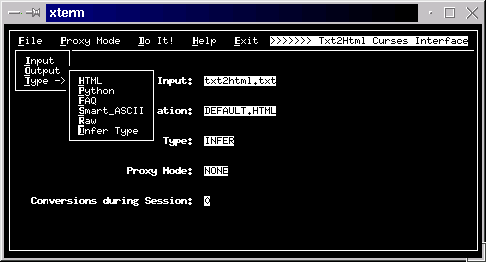
          -- For a terminal-based text-mode character-cell display program, you
          could use ncurses. http://www.amk.ca/python/howto/curses/


          ---John
          --
          (remove zeez if demunging email address)

          Comment

          • John M. Gabriele

            #6
            Re: Write a GUI for a python script?

            John M. Gabriele wrote:[color=blue]
            >
            > There are Python bindings to most GUI toolkits (GTK+, Qt, fltk, wxWindows,
            > and Tk come to mind).[/color]

            Whoops. Forgot fltk with the pyFLTK Python binding. fltk
            is a fast, light, toolkit that's written in C++ but (again,
            IIRC) feels more like C-with-classes (which isn't a bad thing).

            ---John
            --
            (remove zeez if demunging email address)

            Comment

            • Michael Ekstrand

              #7
              Re: wxPython memory footprint? - Re: Write a GUI for a python script?

              On Thu, 02 Mar 2006 19:52:34 +0100
              robert <no-spam@no-spam-no-spam.com> wrote:[color=blue]
              > Can you debug & call functions interactively from e.g. Pythonwin while a
              > wxPython app is running.[/color]

              It's a snap to incorporate a nice GUI Python shell with object browser
              into any wxPython app - wxPython provides its PyCrust shell as a
              package, which provides your choice of a widget you can embed or a
              top-level window you can create. In one app I worked on I created a
              menu item that launched such a shell window, so I could poke around
              inside the app.

              As far as actual debugging/stepping... I'm not sure. I haven' thad much
              luck with Python debugging using anything but Wing IDE.

              - Michael

              --
              mouse, n: a device for pointing at the xterm in which you want to type.
              -- Fortune

              Comment

              • Chris Mellon

                #8
                Re: wxPython memory footprint? - Re: Write a GUI for a python script?

                On 3/2/06, robert <no-spam@no-spam-no-spam.com> wrote:[color=blue]
                > ianaré wrote:
                >[color=green]
                > > wxPython is another good option, especially since there is
                > > boa-constructor, which is a great GUI builder, almost makes it too easy
                > > to make a nice looking app in no time at all.
                > >
                > > http://www.wxpython.org/download.php
                > >
                > > http://boa-constructor.sourceforge.net/
                > >
                > > if you decide to give wxPython a go, make sure to download the demo, it
                > > has tons of usefull code samples.[/color]
                >
                > What is the minimal memory footprint of a Hello World wxPython app
                > meanwhile (when you cx_freeze/py2exe it) ?
                >[/color]

                I'm assuming you mean disk space and not memory usage. A stock
                wxPython (from a standard release) wil vary from platform to platform
                but is generally about 2.5 megs. This can be brought down rather a lot
                if you're willing to spend a fair amount of time learning the
                wxWidgets and wxPython build systems and making custom builds but it's
                not generally worth the time to me (and I know the build system and
                could make customized builds if I wanted to)

                I have a non-trivial wxPython application and, using py2exe in "single
                executable" mode (thus all the dlls and the zipfile with the .pyc
                files are included in the exe) it's just over 5 megs in size.
                [color=blue]
                > Can you debug & call functions interactively from e.g. Pythonwin while a
                > wxPython app is running.
                >[/color]

                I've never tried it with PythonWin and I don't know how PythonWin
                hooks into Python to manage debugging). Both pdb and the debugger in
                PyDev work fine for me, however. As another responder said it's
                trivial (literally < 5 lines) to add an interactive Python shell to a
                wxPython application, which is invaluable for debugging and testing.
                [color=blue]
                > ( When I made a test with wxPython some years ago, it had no option to
                > step/share its Messageloop. Interaction was "crust"y and I didn't manage
                > to get smooth debugging (on Windows). )
                >[/color]

                I don't believe that wxPython exposes the low level C++ APIs that're
                available to hook the wx message loop (it's an efficency issue, from
                what I understand), but there are a number of other methods for
                integration. The need to hook the message loop is far far less common
                than the number of people who ask for it, so you'll forgive me if I'm
                skeptical unless someone actually says why they want to.
                [color=blue]
                > Robert
                > --
                > http://mail.python.org/mailman/listinfo/python-list
                >[/color]

                Comment

                • ianaré

                  #9
                  Re: wxPython memory footprint? - Re: Write a GUI for a python script?

                  > What is the minimal memory footprint of a Hello World wxPython app[color=blue]
                  > meanwhile (when you cx_freeze/py2exe it)[/color]

                  it's kinda weird actually... I'm not 100% sure, but i think it relates
                  more to py2exe options, not neccessarily to wxPython. in any case the
                  least memory usage i've seen for an app that has at least some degree
                  of functionality is around 12k running on win2000. But a much more
                  complicated and larger app uses about 16k, while another small app uses
                  like 20k...
                  ???

                  Comment

                  • sjdevnull@yahoo.com

                    #10
                    Re: Write a GUI for a python script?

                    John M. Gabriele wrote:[color=blue]
                    > -- GTK+ is what most Gnome apps use. The Python binding is PyGTK.
                    > http://www.pygtk.org/[/color]
                    [snip][color=blue]
                    > -- wxWindows is a lot like MS Windows MFC if I recall correctly.
                    > The Python binding to wxWindows is called wxPython.
                    > http://www.wxpython.org/[/color]

                    Note that wxWindows wraps native widgets, so a wxPython application
                    will use the native Windows widgets on windows, gtk widgets on
                    Linux/GNOME, Mac widgets on the Mac, etc.

                    I usually use wxPython for application development, but for my window
                    manager I'm using pygtk since it needs to be somewhat lower level and
                    portability to other platforms isn't a concern (turns out even that
                    isn't quite low-level enough for some things, so I drop down to
                    accessing the X event queue directly from C in a couple of cases).

                    Comment

                    • Grant Edwards

                      #11
                      Re: Write a GUI for a python script?

                      On 2006-03-02, sjdevnull@yahoo .com <sjdevnull@yaho o.com> wrote:
                      [color=blue]
                      > Note that wxWindows wraps native widgets,[/color]

                      Not on Linux/KDE systems. ;)

                      --
                      Grant Edwards grante Yow! ANN JILLIAN'S HAIR
                      at makes LONI ANDERSON'S
                      visi.com HAIR look like RICARDO
                      MONTALBAN'S HAIR!

                      Comment

                      • sjdevnull@yahoo.com

                        #12
                        Re: Write a GUI for a python script?

                        Grant Edwards wrote:[color=blue]
                        > On 2006-03-02, sjdevnull@yahoo .com <sjdevnull@yaho o.com> wrote:
                        >[color=green]
                        > > Note that wxWindows wraps native widgets,[/color]
                        >
                        > Not on Linux/KDE systems. ;)[/color]

                        Right, I followed that with a clarification of supported systems. You
                        can use wxwindows with gtk-qt to get a Qt-ish look, although that's not
                        ideal.

                        The issue with wxqt is licensing; wxWindows is open-source, but not GPL
                        (it allows closed-source app development); gtk is LGPL'd so that's not
                        an issue, but Qt is GPL'd. Julian Smart (wxwindows developer)
                        contacted Troll for license clarifications but didn't get a response
                        (or not a useful one, I can't remember the specifics). There's no
                        ideological opposition to a qt implementation if the licensing can be
                        resolved (indeed they're willing to work with fully closed-source
                        toolkits, they just don't want to force application developers using
                        their toolkit to use a particular license).

                        Comment

                        • Matthias Huening

                          #13
                          Re: Write a GUI for a python script?

                          Glurt Wuntal (02.03.2006 15:56):[color=blue]
                          > I am a newbie with Python. It's a great language, but I would like to be
                          > able to present a simple gui menu for some of my scripts; something better
                          > than using 'raw_input' prompts.
                          >[/color]

                          If you only need some dialogs, input and/or message boxes, you could start
                          with EasyGUI.


                          Matthias

                          Comment

                          • peter.mosley@talk21.com

                            #14
                            Re: Write a GUI for a python script?

                            Hi

                            I, too, am a python newbie and have wrestled with GUI programming. I
                            think I am winning, but its been a struggle.
                            [color=blue]
                            >From what I have gleaned, there are three and a half options. The half[/color]
                            is easygui - see http://www.ferg.org/easygui - which allows you to
                            place pop up dialogues in procedural code. Apart from that there's
                            Tkinter, PyGtk and wxPython. I never tried wxPython as it wasn't
                            installed on my system. I struggled with PyGtk (http://www.pygtk.org/)
                            and eventually gave up - somehow I could never get to work any code
                            which wasn't an exact copy of the tutorial. Which leaves Tkinter, and
                            here, with the help of Frederik Lundh's tutorial and manual
                            (http://www.pythonware.com/library/tkinter/introduction/) , I have been
                            able to get results. Not perfect - if you search you'll find a number
                            of my posts on this newsgroup when I was stuck, and the manual is
                            incomplete (why - given that Tkinter is the de facto standard?). But
                            for me at least Tkinter provided a way forwards.

                            Good Luck

                            Peter

                            Comment

                            • Peter Decker

                              #15
                              Re: Write a GUI for a python script?

                              On 3 Mar 2006 01:16:23 -0800, peter.mosley@ta lk21.com
                              [color=blue]
                              > I, too, am a python newbie and have wrestled with GUI programming. I
                              > think I am winning, but its been a struggle.[/color]

                              I started with wxPython and struggled with it for a long time. I was
                              able to get the job done, but using it never seemed natural. Then I
                              found the Dabo project, whose ui module wraps wxPython into a much
                              more Pythonic, consistent interface. Since then I've been able to
                              create GUIs without much effort at all. I highly recommend Dabo if you
                              are thinking about wxPython.

                              --

                              # p.d.

                              Comment

                              Working...