Setup application

Collapse
X
 
  • Time
  • Show
Clear All
new posts
  • dhaval321
    New Member
    • May 2007
    • 21

    #1

    Setup application

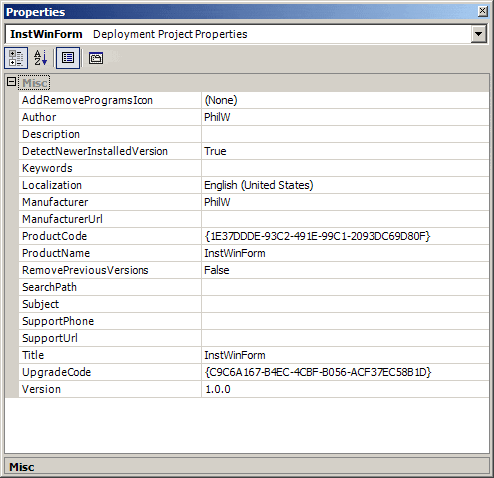
    Actually when i m creating setup of my application, i have defined default setup path by declaring productname and manufacturer property...but suppose the version of my application changes then new application should be installed at the previously default path...so default path should be which user has installed application.... to overcome this problem i have set one environment variable of this path..and during next installation i m fetcing this path but i dont know how to set this path as default installation path...so pls help me out...
  • Motoma
    Recognized Expert Specialist
    • Jan 2007
    • 3236

    #2
    Originally posted by dhaval321
    Actually when i m creating setup of my application, i have defined default setup path by declaring productname and manufacturer property...but suppose the version of my application changes then new application should be installed at the previously default path...so default path should be which user has installed application.... to overcome this problem i have set one environment variable of this path..and during next installation i m fetcing this path but i dont know how to set this path as default installation path...so pls help me out...
    Typically the Windows environment will let you access these variables by using the % character on either side of your variable name. You might be able to get away with setting your install path to be %myinstallpathv ariable%.

    Comment

    • dhaval321
      New Member
      • May 2007
      • 21

      #3
      Originally posted by Motoma
      Typically the Windows environment will let you access these variables by using the % character on either side of your variable name. You might be able to get away with setting your install path to be %myinstallpathv ariable%.

      But will u tell me how to set this path using vb.net....

      Comment

      • Motoma
        Recognized Expert Specialist
        • Jan 2007
        • 3236

        #4
        Originally posted by dhaval321
        But will u tell me how to set this path using vb.net....
        Can't you just set that as the default?

        Comment

        • dhaval321
          New Member
          • May 2007
          • 21

          #5
          Originally posted by Motoma
          Can't you just set that as the default?
          As in through property window in vb.net it is possible to set the default path, but for dynamic puropse i want to set it through code in vb.net...and first it takes windows path default after that we can set..i.e.
          C:/program files/productname/manufacturer name.... but if i want to set as
          D:/... as default then how i can do it???

          Comment

          • SammyB
            Recognized Expert Contributor
            • Mar 2007
            • 807

            #6
            Three articles that should help you do what you want to do:
            http://www.simple-talk.com/2005/04/2...ith-setup-proj...
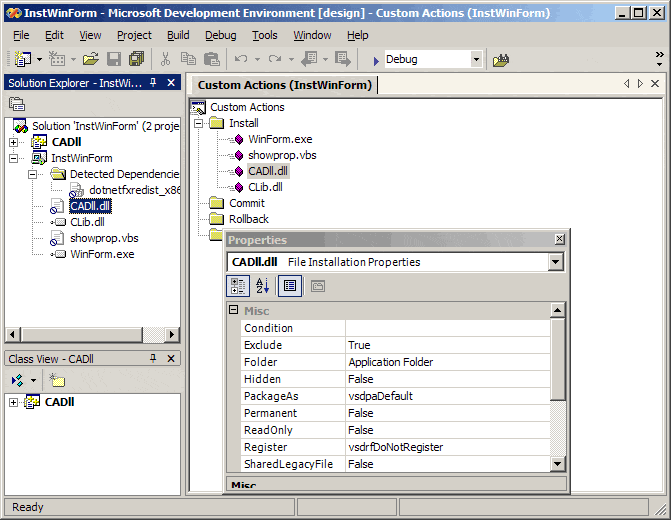
            This article describes the kinds of custom actions that can be used in your Visual Studio setup project.

            This article explains how to install a new version of your setup project using the Windows Installer update mechanism.

            Comment

            • dhaval321
              New Member
              • May 2007
              • 21

              #7
              Originally posted by SammyB
              Three articles that should help you do what you want to do:
              http://www.simple-talk.com/2005/04/2...ith-setup-proj...
              This article describes the kinds of custom actions that can be used in your Visual Studio setup project.

              http://www.simple-talk.com/2005/07/1...etup-projects/

              Thanks for that link..but actually i have already tried that...but my problem is still at its place...

              Comment

              Working...