
Links for .NET security stuff

Collapse
This topic is closed.
X
X
 
  • Time
  • Show
Clear All
new posts
  • Olaf Baeyens

    #1

    Links for .NET security stuff

    Can someone out there point me to a URL or other reference how to use these
    security stuff in .NET?
    I know everything can be found online on the msdn but since I am new to this
    security stuff, I have a very hard time to find the correct page in the
    zillions of abstract pages talking about this topic.

    One of the problems is this:
    [assembly:FileIO Permission(Secu rityAction.Requ estMinimum,
    Unrestricted=tr ue)]

    I can find information about FileIOPermissio n here:
    http://msdn.microsoft.com/library/de...classtopic.asp

    I also fiund documentation of SecurityAction. RequestMinimum

    But I cannot seem to find what parameters can be declared like
    "Unrestricted=t rue".
    I do find documentation about AllAccess, Append, NoAccess, PathDiscovery,
    Read, Write, but the word "Unrestrict ed" is nowwhere seen on that page.

    FileIOPermissio n is one example it would be nice to find some page that
    gives an overview of all possible kewords like "Unrestrict ed", maybe there
    are more keywords?

    I am now trying to make my match dll more secure, by restricting security
    settings.
    The dll only has math functionality, no registery, no dialog boxes, no file
    access is needed, but it has to run from LAN netwok folders. It also needs
    unsafe code.

    This is why I try to find SecurityPermiss ion, RegistryPermiss ion,
    ZoneIdentityPer mission,...docu mentation that tells me what keywords exist
    and how to set it.

    Any help would be appreciated. :-)

    --
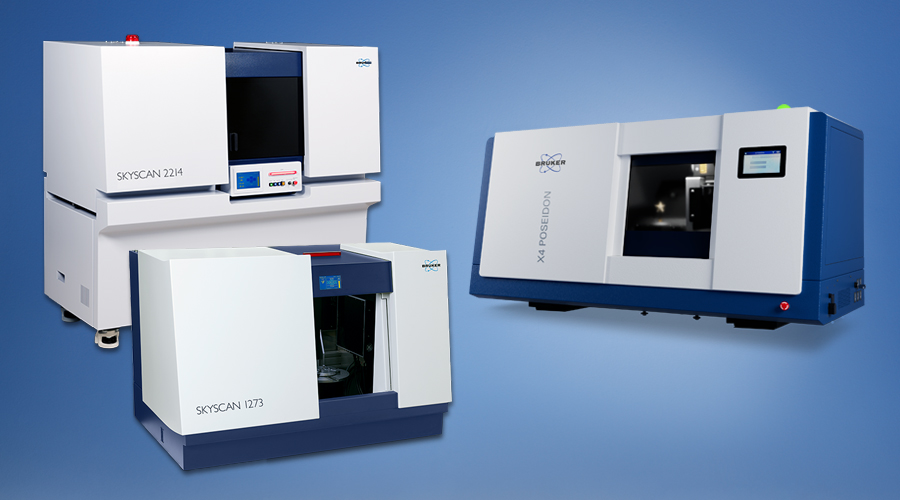
    Bruker’s portfolio of 3D X-ray microscopes (XRM) offers turnkey solutions for non-destructive 3D imaging for a wide variety of industrial and scientific applications. This includes defect detection in casting, machining and additive manufacturing, inspection of complex electro-mechanical assemblies, pharmaceutical packaging, advanced medical tools, etc.


  • Rakesh Rajan

    #2
    RE: Links for .NET security stuff

    Hi Olaf,

    If you are looking for articles on CAS in general, then this is a good read


    HTH,
    Rakesh Rajan

    "Olaf Baeyens" wrote:
    [color=blue]
    > Can someone out there point me to a URL or other reference how to use these
    > security stuff in .NET?
    > I know everything can be found online on the msdn but since I am new to this
    > security stuff, I have a very hard time to find the correct page in the
    > zillions of abstract pages talking about this topic.
    >
    > One of the problems is this:
    > [assembly:FileIO Permission(Secu rityAction.Requ estMinimum,
    > Unrestricted=tr ue)]
    >
    > I can find information about FileIOPermissio n here:
    > http://msdn.microsoft.com/library/de...classtopic.asp
    >
    > I also fiund documentation of SecurityAction. RequestMinimum
    >
    > But I cannot seem to find what parameters can be declared like
    > "Unrestricted=t rue".
    > I do find documentation about AllAccess, Append, NoAccess, PathDiscovery,
    > Read, Write, but the word "Unrestrict ed" is nowwhere seen on that page.
    >
    > FileIOPermissio n is one example it would be nice to find some page that
    > gives an overview of all possible kewords like "Unrestrict ed", maybe there
    > are more keywords?
    >
    > I am now trying to make my match dll more secure, by restricting security
    > settings.
    > The dll only has math functionality, no registery, no dialog boxes, no file
    > access is needed, but it has to run from LAN netwok folders. It also needs
    > unsafe code.
    >
    > This is why I try to find SecurityPermiss ion, RegistryPermiss ion,
    > ZoneIdentityPer mission,...docu mentation that tells me what keywords exist
    > and how to set it.
    >
    > Any help would be appreciated. :-)
    >
    > --
    > http://www.skyscan.be
    >
    >
    >[/color]

    Comment

    • Olaf Baeyens

      #3
      Re: Links for .NET security stuff

      > If you are looking for articles on CAS in general, then this is a good
      read:[color=blue]
      >[/color]
      http://www.codeproject.com/dotnet/UB...&select=727810[color=blue]
      >[/color]

      Yes this seems to be a very good staringpoint. :-)
      Thanks.

      --
      Bruker’s portfolio of 3D X-ray microscopes (XRM) offers turnkey solutions for non-destructive 3D imaging for a wide variety of industrial and scientific applications. This includes defect detection in casting, machining and additive manufacturing, inspection of complex electro-mechanical assemblies, pharmaceutical packaging, advanced medical tools, etc.


      Comment

      • UAError

        #4
        Re: Links for .NET security stuff

        "Olaf Baeyens" <olaf.baeyens@s kyscan.be> wrote:
        [color=blue]
        >Can someone out there point me to a URL or other reference how to use these
        >security stuff in .NET?
        >I know everything can be found online on the msdn but since I am new to this
        >security stuff, I have a very hard time to find the correct page in the
        >zillions of abstract pages talking about this topic.
        >
        >One of the problems is this:
        >[assembly:FileIO Permission(Secu rityAction.Requ estMinimum,
        >Unrestricted=t rue)]
        >
        >I can find information about FileIOPermissio n here:
        >http://msdn.microsoft.com/library/de...classtopic.asp
        >
        >I also fiund documentation of SecurityAction. RequestMinimum
        >
        >But I cannot seem to find what parameters can be declared like
        >"Unrestricted= true".[/color]

        IUnrestrictedPe rmission Interface
        http://msdn.microsoft.com/library/de...classtopic.asp
        PermissionState Enumeration
        http://msdn.microsoft.com/library/de...classtopic.asp
        FileIOPermissio nAttribute Class
        http://msdn.microsoft.com/library/de...classtopic.asp

        If you take a look at the Zone Code groups and the
        Permission set in the .NET Framework Configuration Tool
        (Runtime, Machine, Permission Sets) you'll discover that
        only the "Everything " permission set actually has
        "Unrestrict ed" File IO; FullTrust has it by default as it
        for all intents and purposes bypasses CAS. So you would be
        well advised not to require

        [FileIOPermissio nAttribute(Secu rityAction.Mini mum,Unrestricte d=true)]

        The above actually does the following:

        (new FileIOPermissio nAttribute(
        SecurityAction. Minimum
        )).Unrestricted = true;

        So in effect you can determine the possible "parameters " by
        looking at FileIOPermissio nAttribute's properties.

        You may also want to look into
        SecurityAction. RequestOptional . The name is totally
        misleading:

        RequestMinimum - "Required Minimum"; use this to specify the
        permissions that you absolutely have to have - if one of the
        minimum permission isn't present the runtime will throw a
        Security exception (using declarative security your assembly
        won't even be allowed to run).

        RequestOptional - "Refuse All Except"; use this to
        explicitly list all the permissions you may want to use,
        while you definitely do not want any other permissions. If
        something is RequestOptional the absence of the permission
        will not immediately lead to an exception until something
        trys to use it.

        RequestRefuse - Use this to exclude a subset of something
        you already requested, e.g.:

        [FileIOPermissio nAttribute(Secu rityAction.Requ estOptional,
        Read=@"C:\"]
        [FileIOPermissio nAttribute(Secu rityAction.Requ estRefuse,
        Read=@"C:\Windo ws"]
        [color=blue]
        >I do find documentation about AllAccess, Append, NoAccess, PathDiscovery,
        >Read, Write, but the word "Unrestrict ed" is nowwhere seen on that page.
        >
        >FileIOPermissi on is one example it would be nice to find some page that
        >gives an overview of all possible kewords like "Unrestrict ed", maybe there
        >are more keywords?
        >[/color]

        Just look at FileIOPermissio nAttribute's properties
        [color=blue]
        >I am now trying to make my match dll more secure, by restricting security
        >settings.
        >The dll only has math functionality, no registery, no dialog boxes, no file
        >access is needed, but it has to run from LAN netwok folders. It also needs
        >unsafe code.[/color]

        So you do not want to require "File IO" permission as that
        is not included in the LocalIntranet permission set. If you
        require file access you will need to handle this with
        OpenFileDialog and SaveFileDialog and the stream they make
        available (essentially the user is granting the assembly on
        a case by case basis access to the indicated file).

        Unsafe code is a no-no with the LocalIntranet permission
        set; its "Security" "Allow calls to unmanaged code" is set
        to "No". You would have to create a separate assembly that
        manipulates the unmanaged code and declares:

        [assembly:AllowP artiallyTrusted Callers]

        That one then needs to be granted "Security" "Allow calls to
        unmanaged code" is set to "Yes" and "Security" "Assert any
        permission that has been granted" to "Yes" (basically
        installing it on the client machine and granting it full
        trust, though a tightly constrained custom code group and
        permission set on the machine would be preferrable). Then
        your assembly could call it as long as the local assembly
        used an "Assert" to stop the stack walk.

        AllowPartiallyT rustedCallersAt tribute Class
        http://msdn.microsoft.com/library/de...classtopic.asp

        CodeAccessPermi ssion.Assert Method
        http://msdn.microsoft.com/library/de...sserttopic.asp
        [color=blue]
        >
        >This is why I try to find SecurityPermiss ion, RegistryPermiss ion,
        >ZoneIdentityPe rmission,...doc umentation that tells me what keywords exist
        >and how to set it.
        >
        >Any help would be appreciated. :-)[/color]

        ..NET Framework Developer's Guide: Code Access Security
        http://msdn.microsoft.com/library/de...sssecurity.asp
        Chapter 8 – Code Access Security in Practice
        http://msdn.microsoft.com/library/de...l/thcmch08.asp
        How To: Use Code Access Security Policy to Constrain an
        Assembly
        http://msdn.microsoft.com/library/de...htcode_acc.asp


        Comment

        • Olaf Baeyens

          #5
          Re: Links for .NET security stuff

          Nice, nice thank you, for this information and links.
          Completely understanding is one thing, but at least I have now some good
          starting points. :-)

          Thanks.


          --
          Bruker’s portfolio of 3D X-ray microscopes (XRM) offers turnkey solutions for non-destructive 3D imaging for a wide variety of industrial and scientific applications. This includes defect detection in casting, machining and additive manufacturing, inspection of complex electro-mechanical assemblies, pharmaceutical packaging, advanced medical tools, etc.


          "UAError" <null@null.null > wrote in message
          news:saifn019uh r2lv9007ktpfvli pv42c2jvo@4ax.c om...[color=blue]
          > IUnrestrictedPe rmission Interface
          >[/color]
          http://msdn.microsoft.com/library/de...classtopic.asp[color=blue]
          > PermissionState Enumeration
          >[/color]
          http://msdn.microsoft.com/library/de...classtopic.asp[color=blue]
          > FileIOPermissio nAttribute Class
          >[/color]
          http://msdn.microsoft.com/library/de...classtopic.asp[color=blue]
          >[/color]
          ........


          Comment

          • UAError

            #6
            Re: Links for .NET security stuff

            "Olaf Baeyens" <olaf.baeyens@s kyscan.be> wrote:
            [color=blue]
            >Nice, nice thank you, for this information and links.
            >Completely understanding is one thing, but at least I have now some good
            >starting points. :-)
            >
            >Thanks.[/color]

            Well I did't directly mention the easier way out (as opposed
            to creating two separate assemblies) by simply creating a
            custom permission set and code group with an appropriate
            membership condition to grant your assembly the permissions
            it needs to operate - AFTER you constrained the permissions
            it acquires (through RequestOptional ).

            ..NET Framework Developer's Guide: Configuring Permission
            Sets Using the .NET Framework Configuration Tool
            http://msdn.microsoft.com/library/de...issionsets.asp

            ..NET Framework Developer's Guide: Configuring Code Groups
            Using the .NET Framework Configuration Tool
            http://msdn.microsoft.com/library/de...codegroups.asp

            ..NET Framework Developer's Guide: Computing the Allowed
            Permission Set
            http://msdn.microsoft.com/library/de...missionset.asp
            [color=blue]
            >The dll only has math functionality, no registery, no dialog boxes, no file
            >access is needed, but it has to run from LAN netwok folders. It also needs
            >unsafe code.[/color]

            You haven't elaborated on why you are operating the assembly
            from the network. If its to be included in some "ad hoc"
            programs/applications you could initially develop your
            custom Permission set/Code Group in the ".NET Framework
            Configuration Tool". After you know what will be needed
            create a .bat file for potential users of your assembly that
            can deploy the required Permission set/Code Group by using
            Caspol.exe.

            NET Framework Tools: Code Access Security Policy Tool
            (Caspol.exe)
            http://msdn.microsoft.com/library/de...yCaspolexe.asp

            ..NET Framework Developer's Guide: Configuring Permission
            Sets Using Caspol.exe
            http://msdn.microsoft.com/library/de...issionsets.asp

            ..NET Framework Developer's Guide: Configuring Code Groups
            Using Caspol.exe
            http://msdn.microsoft.com/library/de...codegroups.asp

            If however the assembly is to be used by multiple well
            established applications within you organization you should
            really be considering deploying it to the GAC (Global
            Assembly Cache) of each machine by including it in a Merge
            Module for the application setup projects.

            Visual Studio: Introduction to Merge Modules
            http://msdn.microsoft.com/library/de...rgemodules.asp

            Operating from the GAC you probably will not need a custom
            Code Group/Permission set - and even if you do you can run
            caspol from the custom actions or use the
            System.Security .SecurityManage r class to manipulate the
            Security policy.

            ..NET Framework Class Library: SecurityManager Class
            http://msdn.microsoft.com/library/de...ClassTopic.asp

            http://www.sellsbrothers.com/wahoo/

            Even if you do not deploy to the GAC, you may want to
            consider assigning a strong name to your assembly. That way
            it is more difficult to "impersonat e" your assembly (and you
            can use it to further constrain the membership condition of
            your custom code group).

            ..NET Framework Developer's Guide: Creating and Using
            Strong-Named Assemblies
            http://msdn.microsoft.com/library/de...assemblies.asp

            Comment

            • Olaf Baeyens

              #7
              Re: Links for .NET security stuff

              > Well I did't directly mention the easier way out (as opposed[color=blue]
              > to creating two separate assemblies) by simply creating a
              > custom permission set and code group with an appropriate
              > membership condition to grant your assembly the permissions
              > it needs to operate - AFTER you constrained the permissions
              > it acquires (through RequestOptional ).
              >[/color]
              .....
              Many thanks for the detailed explanation and links. :-)
              I think that this is a wonderfull overview from programmers point of view.
              :-)

              Now comes the hard part: understanding it all. ;-)
              But it lowers the learning curve.

              --
              Bruker’s portfolio of 3D X-ray microscopes (XRM) offers turnkey solutions for non-destructive 3D imaging for a wide variety of industrial and scientific applications. This includes defect detection in casting, machining and additive manufacturing, inspection of complex electro-mechanical assemblies, pharmaceutical packaging, advanced medical tools, etc.


              Comment

              Working...