Word Count in Firefox

Collapse
X
 
  • Time
  • Show
Clear All
new posts
  • FunkHouse9
    New Member
    • Apr 2007
    • 11

    Word Count in Firefox

    I built a form that is depentent on a word count a word count. What I have works just fine in IE but doesn't work in Firefox. It changes the count from 0 to 1 and that's as far as it goes. Here's what I'm doing.
    Code:
    <script type=text/javaScript>
    <!--
    
    function word_count(val) {
    val = val.split(/\s+/g);
    document.form.op3.value = val.length;
    }
    
    //-->
    </script>
    
    <form name="form">
    
    <textarea onkeyup="word_count(this.innerHTML)" name="adtext" rows="12" cols="85"></textarea>
    <br />
    <p>Word Count:
    <input readonly="readonly" size="3" value="0" name="op3" /></p>
    </form>
    Does anyone know what I can do to make it work in Firefox? I haven't tried it in anything else, so if there's a universal fix, that would be helpful!
  • dmjpro
    Top Contributor
    • Jan 2007
    • 2476

    #2
    i think this.innerHTML this is the problem.

    though i m not very much familiar with FIREFOX... actually our project is IE speciifc .
    this is for private GOV. company.

    yet i think this is the bug in ur code.
    change it to this.value i think this ll work for both.

    have a good day.

    kind regards.
    dmjpro.

    Comment

    • FunkHouse9
      New Member
      • Apr 2007
      • 11

      #3
      It looks like your suggestion fixed my problem. I can't thank you enough!

      Comment

      • dmjpro
        Top Contributor
        • Jan 2007
        • 2476

        #4
        that depends on u....

        kind regards.
        dmjpro.

        Comment

        • harryngh
          New Member
          • Dec 2014
          • 1

          #5
          I suggest a word count add-on that might help your writing if you use Chrome

          if you use Firefox:
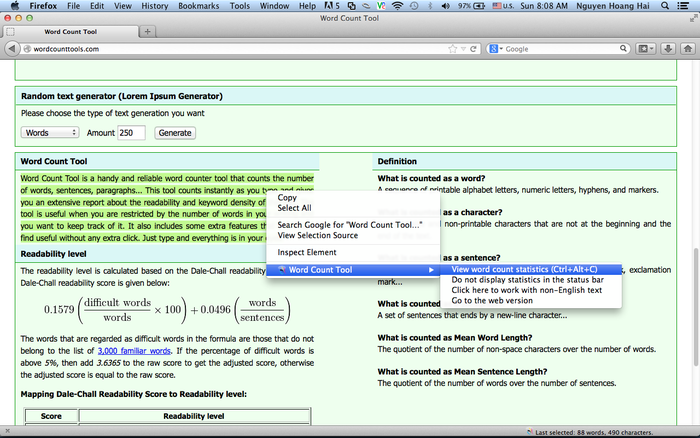
          Download Word Count Tool for Firefox. A word counter that counts the number of words, characters without any extra clicks. Just select the text and right click to select the context menu to invoke the report. It gives detail report about the numbers words, characters, sentences...


          if you want a fast & reliable solution, you can go to its web version:
          Word Count

          Comment

          Working...