
If we have dozens or hundreds of excel to import into the database, if we use the excel import function provided by database editors such as navicat, it will be extremely tedious and time-consuming to manually import one by one. Here we use ExcelToDatabase Tools can be directly imported in batches, and it is just fine to hand over all to the tools for automatic import, completely freeing your hands!
Example of use
As shown in the figure, I need to import all excel files under the folder into the database
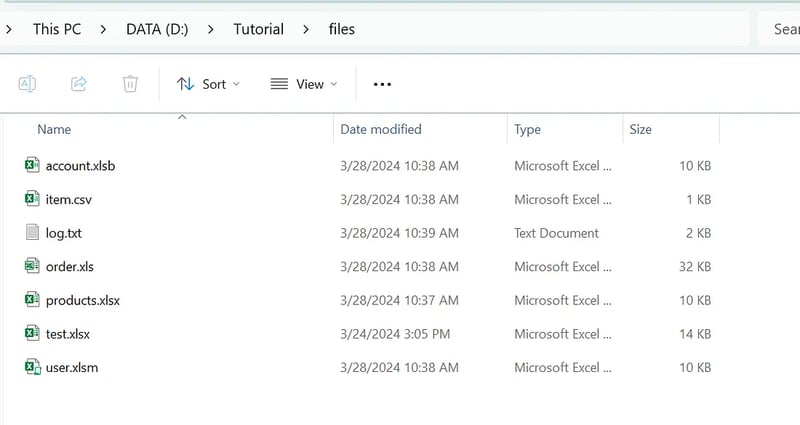
There are two ways to select excel. One is to select the excel file to be imported, and the other is to select the directory. If the directory is selected, all excel files under the directory will be imported. When selecting a directory, if Excel of the subdirectory under the directory also needs to be imported, you can check the Traverse Subdirectory option in the Excel Options interface
Method 1: Select files
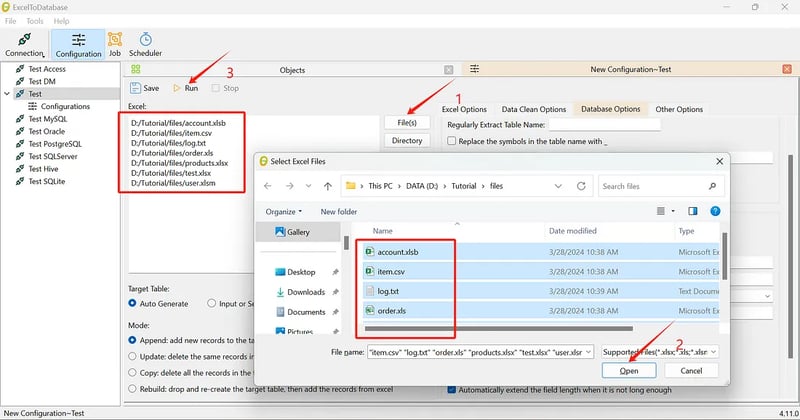
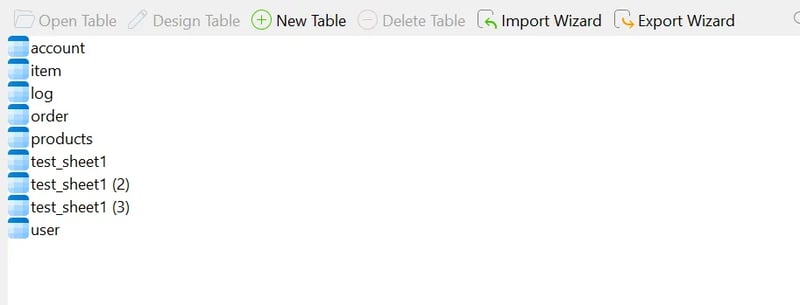
As shown in the figure, six files are selected here, click Start, and six files will be imported into the database in one second
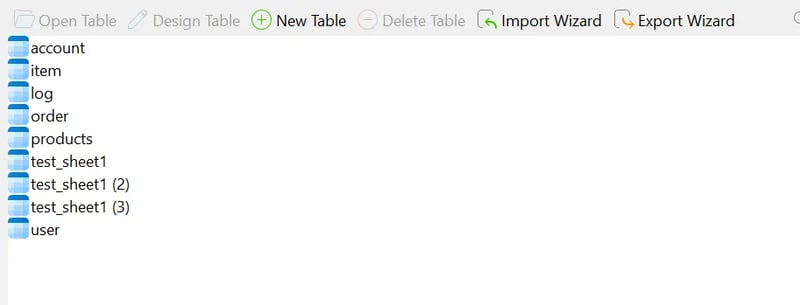
Note that the file contains three sheets, so you can see that the table name is followed by the sheet name
Mode 2: Select directory
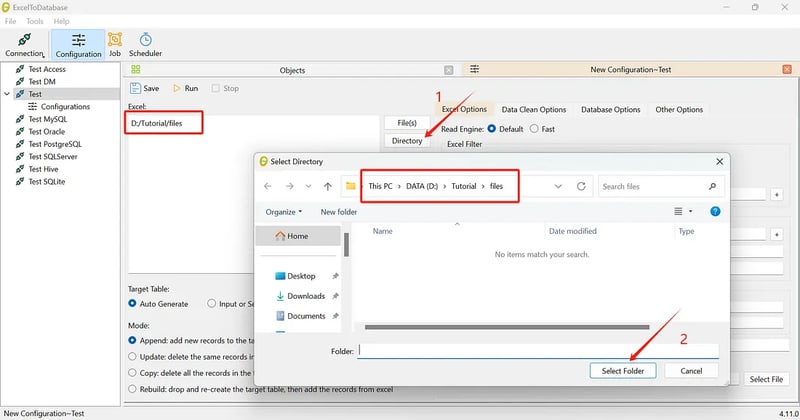
Note: When you select a directory, you cannot see the specific Excel file, but only the directory name. We just need to go to the upper directory containing the Excel file and select the directory
We can see that there is a new folder under the directory. By default, Excel under the new folder will not be imported. If we want to import the Excel files under the new folder as well, we can check the Traverse Subdirectory option under the Excel option.
ExcelToDatabase Introduction and Download
ExcelToDatabase - Automatic tool for batch importing Excel files to database
Example of use
As shown in the figure, I need to import all excel files under the folder into the database
There are two ways to select excel. One is to select the excel file to be imported, and the other is to select the directory. If the directory is selected, all excel files under the directory will be imported. When selecting a directory, if Excel of the subdirectory under the directory also needs to be imported, you can check the Traverse Subdirectory option in the Excel Options interface
Method 1: Select files
As shown in the figure, six files are selected here, click Start, and six files will be imported into the database in one second
Note that the file contains three sheets, so you can see that the table name is followed by the sheet name
Mode 2: Select directory
Note: When you select a directory, you cannot see the specific Excel file, but only the directory name. We just need to go to the upper directory containing the Excel file and select the directory
We can see that there is a new folder under the directory. By default, Excel under the new folder will not be imported. If we want to import the Excel files under the new folder as well, we can check the Traverse Subdirectory option under the Excel option.
ExcelToDatabase Introduction and Download
ExcelToDatabase - Automatic tool for batch importing Excel files to database