[C#] .mp3 File Transfer Help

Collapse
X
 
  • Time
  • Show
Clear All
new posts
  • Bapes
    New Member
    • Apr 2010
    • 8

    [C#] .mp3 File Transfer Help

    Hello, I am currently trying to create a server/client file transfer system in which the server sends the client .mp3 files. The file transfers fine but when I go to play the file, it is all scratchy and skips and I think it has something to do with the bytes that I am sending.

    Here is the server code:

    Code:
    byte[] fileData = File.ReadAllBytes(sData);
                           byte[] clientData = new byte[4 + fileData.Length];
                           fileData.CopyTo(clientData, 4);
     
                           socketData.m_currentSocket.Send(clientData);
    Here is the client code:

    Code:
    SocketPacket theSockId = (SocketPacket)asyn.AsyncState;
                    byte[] clientData = new byte[1024 * 5000];
     
                    int receivedBytesLen = theSockId.thisSocket.Receive(clientData);
     
                    //int fileNameLen = BitConverter.ToInt32(clientData, 0);
     
                    BinaryWriter bWrite = new BinaryWriter(File.Open(@"C:\TEMP\Test.mp3", FileMode.Append, FileAccess.Write));
                    bWrite.Write(clientData, 4, receivedBytesLen + 1);
     
                    bWrite.Close();
    Please help me find out why the music file is scratchy.

    Thank you,

    Bapes.
  • tlhintoq
    Recognized Expert Specialist
    • Mar 2008
    • 3532

    #2
    scratchy and skips and I think it has something to do with the bytes that I am sending.
    Are you using Bytes.LP or Bytes.Cassette ?

    Comment

    • tlhintoq
      Recognized Expert Specialist
      • Mar 2008
      • 3532

      #3
      What's the purpose of increasing the byte[] by 4?
      Code:
      byte[] clientData = new byte[4 + fileData.Length];
                             fileData.CopyTo(clientData, 4);
      The file transfers fine but when I go to play the file, it is all scratchy and skips
      Then it doesn't transfer fine, does it?

      Have you compared the source file to the received file, byte by byte to look for differences?

      Comment

      • Bapes
        New Member
        • Apr 2010
        • 8

        #4
        I have not. Should I removed the 4 in everything? Even from the start index?

        Comment

        • tlhintoq
          Recognized Expert Specialist
          • Mar 2008
          • 3532

          #5
          What was you reason for putting it in?

          Comment

          • Bapes
            New Member
            • Apr 2010
            • 8

            #6
            For adding a file name at the beginning but I removed that.

            Comment

            • Bapes
              New Member
              • Apr 2010
              • 8

              #7
              I removed the 4 and added a 0 to the start index and it is now very distorted and the song name is messed up. Also, it is not the same file size.

              Comment

              • tlhintoq
                Recognized Expert Specialist
                • Mar 2008
                • 3532

                #8
                In theory a file copy should be a file copy.
                If you are reading/writing a string of bytes then the content doesn't matter.
                use the same routine with a small text file, then compare byte by byte.
                I think you're going to find that your copy routine is not any good.

                Comment

                • Bapes
                  New Member
                  • Apr 2010
                  • 8

                  #9
                  I tried a text file and it was perfect. What I think that the problem is, is that the file is too big and it is sending it piece by piece and some is getting cut off. But I don't know how to send it as a whole.

                  Comment

                  • tlhintoq
                    Recognized Expert Specialist
                    • Mar 2008
                    • 3532

                    #10
                    Manufacture some test material.
                    Make an mp3 that is 3 seconds, and 10 second and 30 seconds etc.
                    See if size really does matter.

                    Comment

                    • Bapes
                      New Member
                      • Apr 2010
                      • 8

                      #11
                      Alright, I'll try that and post the results.

                      Comment

                      • Bapes
                        New Member
                        • Apr 2010
                        • 8

                        #12
                        I just tested a 16 KB file and it still is distorted in the background. So thats not the problem. Maybe I need to write a new file transfer method. Would you have any suggestions on how to do it?

                        Comment

                        • tlhintoq
                          Recognized Expert Specialist
                          • Mar 2008
                          • 3532

                          #13
                          Also look at the before and after files with some type of byte-level file reader and see where the differences are.

                          Comment

                          • Bapes
                            New Member
                            • Apr 2010
                            • 8

                            #14
                            I don't quite understand what you mean by that.

                            Comment

                            • tlhintoq
                              Recognized Expert Specialist
                              • Mar 2008
                              • 3532

                              #15
                              Originally posted by tlhIn'toq
                              Also look at the before and after files with some type of byte-level file reader and see where the differences are.
                              Originally posted by Bapes
                              I don't quite understand what you mean by that.
                              Open the source file with a reader that will present it byte by byte. Open the copied (destination) file with the same tool. Compare the differences. Maybe it will lend a clue as to the problem.

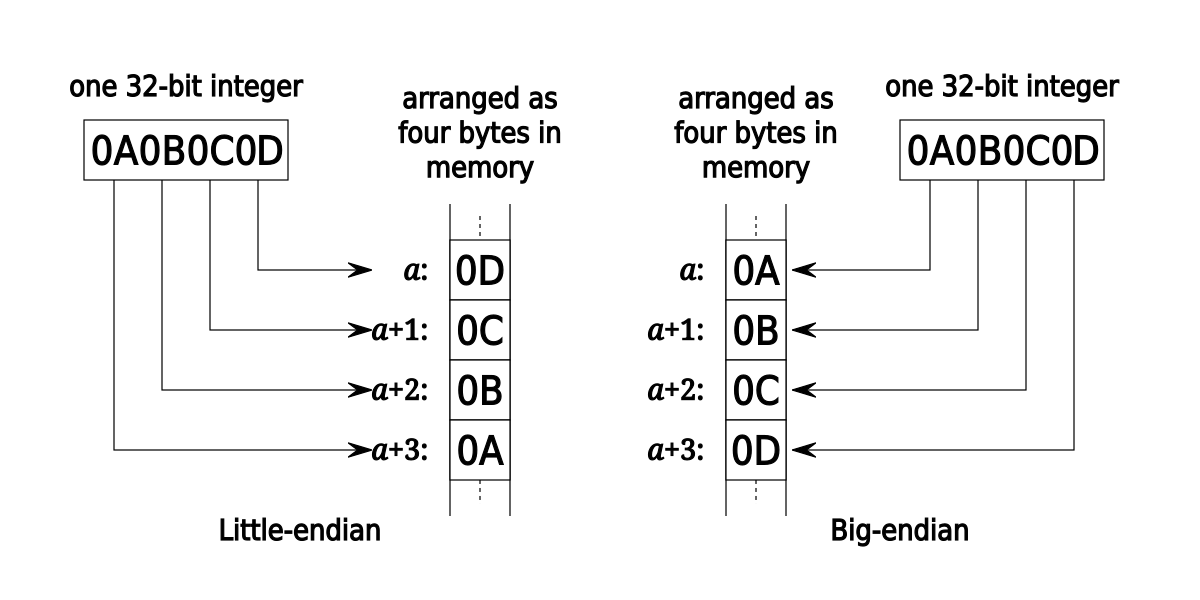
                              For example: Maybe the destination file has an extra 00 null every 512 bytes... Maybe the destination file is cutting off the header of the MP3... Maybe the 10th byte is getting screwed up and that is used for the temp of the song... Maybe the source is Little-endian and the destination is Big-endian...

                              Comment

                              Working...