choose a printer

Collapse
X
 
  • Time
  • Show
Clear All
new posts
  • Jollywg
    New Member
    • Mar 2008
    • 158

    #1

    choose a printer

    I've been looking around and found several solutions, but the only one that i have not found yet is where a user presses the "print" button on a form and microsofts Print Dialog Box comes up to choose a printer. Any ideas on how to do this?

    Thanks
    Matt
  • Megalog
    Recognized Expert Contributor
    • Sep 2007
    • 378

    #2
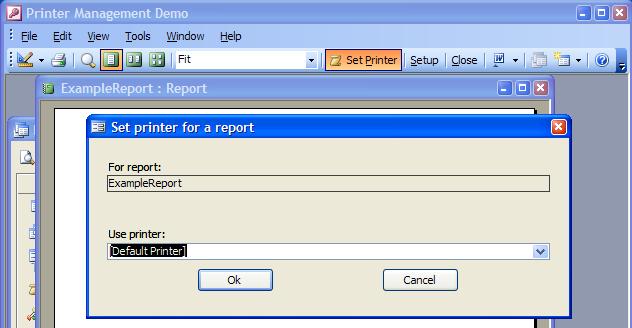
    Allen Browne has a little add-in for download, that lets a user select which printer he/she wants to use, you can check it out at:
    Free utility for Microsoft Access 2002 and later, so a report can be assigned to a particular printer on each workstation.


    Or, you can use the native Print box dialog simply by sending the shortcut keys:

    Code:
    SendKeys "^p"

    Comment

    • Jollywg
      New Member
      • Mar 2008
      • 158

      #3
      Originally posted by Megalog
      Allen Browne has a little add-in for download, that lets a user select which printer he/she wants to use, you can check it out at:
      Free utility for Microsoft Access 2002 and later, so a report can be assigned to a particular printer on each workstation.


      Or, you can use the native Print box dialog simply by sending the shortcut keys:

      Code:
      SendKeys "^p"
      I found his solution, but i was wondering if there was anyway to get the print options box to pop up and let the user select the printer that way?

      Comment

      • NeoPa
        Recognized Expert Moderator MVP
        • Oct 2006
        • 32669

        #4
        Try using :
        Code:
        Call DoCmd.RunCommand(acCmdPrint)
        or :
        Code:
        DoCmd.RunCommand acCmdPrint

        Comment

        • Jollywg
          New Member
          • Mar 2008
          • 158

          #5
          Originally posted by NeoPa
          Try using :
          Code:
          DoCmd.RunCommand acCmdPrint

          Worked like a charm! Thanks NeoPa!

          Comment

          • NeoPa
            Recognized Expert Moderator MVP
            • Oct 2006
            • 32669

            #6
            No worries Matt :)

            Comment

            Working...