Add Record

Collapse
This topic is closed.
X
X
 
  • Time
  • Show
Clear All
new posts
  • iwasinnihon

    Add Record

    I am fairly new to MS Access and I am creating a simple database. I
    have created a form that has information from a three different tables
    displayed in three different list boxes(listbox1, listbox2,
    listbox3). I then have a text box and button under each list box
    (textbox1, textbox2, textbox3, button1, button2, button3). There are
    also other fields on the form that contain information(Ind ex Number,
    Fiscal Year)

    I would like to be able to enter a a string into textbox1 and click
    the button (or press enter) and have it add a record to table1 that
    includes the string from textbox1, Index Number and Fiscal Year. It
    should ten clear textbox1 and update listbox1.

    This would be repeated for the other 2 tables with one addition, I
    need to add the current date to #3.

    I also want the ability to double click an entry in listbox1 and have
    it populate textbox1 with the information for editing. After editing
    the information, you should be able to click the button or hit enter
    and have it update the table and requery the listbox.

    I also want the ability to highlight an entry in listbox1 and click a
    delete button which would delete the entry from table1 with a
    confirmation.

    Please let me know how I can do these things.

    Thanks.

  • Allen Browne

    #2
    Re: Add Record

    Your command buttons will execute action queries to INSERT or DELETE the
    record in the appropriate table.

    The basic idea for the insert will be:

    Private Sub button1_Click()
    Dim db As DAO.Database
    Dim strSql As String

    If IsNull(Me.textb ox1) Then
    MsgBox "Say what?"
    Else
    Set db = dbEngine(0)(0)
    strSql = "INSERT INTO ...
    db.Execute strSql, dbFailOnError
    Set db = Nothing
    End If
    End Sub

    To get the SQL statement:
    1. Mock up a query without any table.
    2. Change it to an Append query (Append on Query menu)
    3. Type some value (e.g. 99) into the Field row in query design, for each
    field you want to insert.
    4. Switch the query to SQL View (View menu.)
    There's an example of the string you need to create.

    You will concatenate the actual values into the string, e.g.:
    strSql = "INSERT ... """ & Me.textbox1 & """, ...

    Those extra quotes are needed for text fields. Explained here:


    For more info on what it means to Execute an action query:
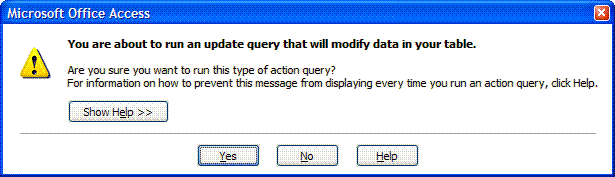
    How to use the Execute method to run action queries in Microsoft Access, avoiding unnecessary confirmation dialogs while still being notified of any errors and knowing if the query completed successfully.


    --
    Allen Browne - Microsoft MVP. Perth, Western Australia
    Tips for Access users - http://allenbrowne.com/tips.html
    Reply to group, rather than allenbrowne at mvps dot org.

    "iwasinniho n" <iwasinnihon@gm ail.comwrote in message
    news:b9216105-d7ca-4008-810e-5149956efc15@u6 g2000prc.google groups.com...
    >I am fairly new to MS Access and I am creating a simple database. I
    have created a form that has information from a three different tables
    displayed in three different list boxes(listbox1, listbox2,
    listbox3). I then have a text box and button under each list box
    (textbox1, textbox2, textbox3, button1, button2, button3). There are
    also other fields on the form that contain information(Ind ex Number,
    Fiscal Year)
    >
    I would like to be able to enter a a string into textbox1 and click
    the button (or press enter) and have it add a record to table1 that
    includes the string from textbox1, Index Number and Fiscal Year. It
    should ten clear textbox1 and update listbox1.
    >
    This would be repeated for the other 2 tables with one addition, I
    need to add the current date to #3.
    >
    I also want the ability to double click an entry in listbox1 and have
    it populate textbox1 with the information for editing. After editing
    the information, you should be able to click the button or hit enter
    and have it update the table and requery the listbox.
    >
    I also want the ability to highlight an entry in listbox1 and click a
    delete button which would delete the entry from table1 with a
    confirmation.
    >
    Please let me know how I can do these things.
    >
    Thanks.

    Comment

    • iwasinnihon

      #3
      Re: Add Record

      Thank you

      On Aug 16, 7:44 pm, "Allen Browne" <AllenBro...@Se eSig.Invalidwro te:
      Your command buttons will execute action queries to INSERT or DELETE the
      record in the appropriate table.
      >
      The basic idea for the insert will be:
      >
      Private Sub button1_Click()
      Dim db As DAO.Database
      Dim strSql As String
      >
      If IsNull(Me.textb ox1) Then
      MsgBox "Say what?"
      Else
      Set db = dbEngine(0)(0)
      strSql = "INSERT INTO ...
      db.Execute strSql, dbFailOnError
      Set db = Nothing
      End If
      End Sub
      >
      To get the SQL statement:
      1. Mock up a query without any table.
      2. Change it to an Append query (Append on Query menu)
      3. Type some value (e.g. 99) into the Field row in query design, for each
      field you want to insert.
      4. Switch the query to SQL View (View menu.)
      There's an example of the string you need to create.
      >
      You will concatenate the actual values into the string, e.g.:
      strSql = "INSERT ... """ & Me.textbox1 & """, ...
      >
      Those extra quotes are needed for text fields. Explained here:

      >
      For more info on what it means to Execute an action query:
      How to use the Execute method to run action queries in Microsoft Access, avoiding unnecessary confirmation dialogs while still being notified of any errors and knowing if the query completed successfully.

      >
      --
      Allen Browne - Microsoft MVP. Perth, Western Australia
      Tips for Access users -http://allenbrowne.com/tips.html
      Reply to group, rather than allenbrowne at mvps dot org.
      >
      "iwasinniho n" <iwasinni...@gm ail.comwrote in message
      >
      news:b9216105-d7ca-4008-810e-5149956efc15@u6 g2000prc.google groups.com...
      >
      I am fairly new to MS Access and I am creating a simple database. I
      have created a form that has information from a three different tables
      displayed in three different list boxes(listbox1, listbox2,
      listbox3). I then have a text box and button under each list box
      (textbox1, textbox2, textbox3, button1, button2, button3). There are
      also other fields on the form that contain information(Ind ex Number,
      Fiscal Year)
      >
      I would like to be able to enter a a string into textbox1 and click
      the button (or press enter) and have it add a record to table1 that
      includes the string from textbox1, Index Number and Fiscal Year. It
      should ten clear textbox1 and update listbox1.
      >
      This would be repeated for the other 2 tables with one addition, I
      need to add the current date to #3.
      >
      I also want the ability to double click an entry in listbox1 and have
      it populate textbox1 with the information for editing. After editing
      the information, you should be able to click the button or hit enter
      and have it update the table and requery the listbox.
      >
      I also want the ability to highlight an entry in listbox1 and click a
      delete button which would delete the entry from table1 with a
      confirmation.
      >
      Please let me know how I can do these things.
      >
      Thanks.

      Comment

      Working...